IRUW 12×12×7.3mm Tactile Switch + Knob Kit (12pcs)
Overview
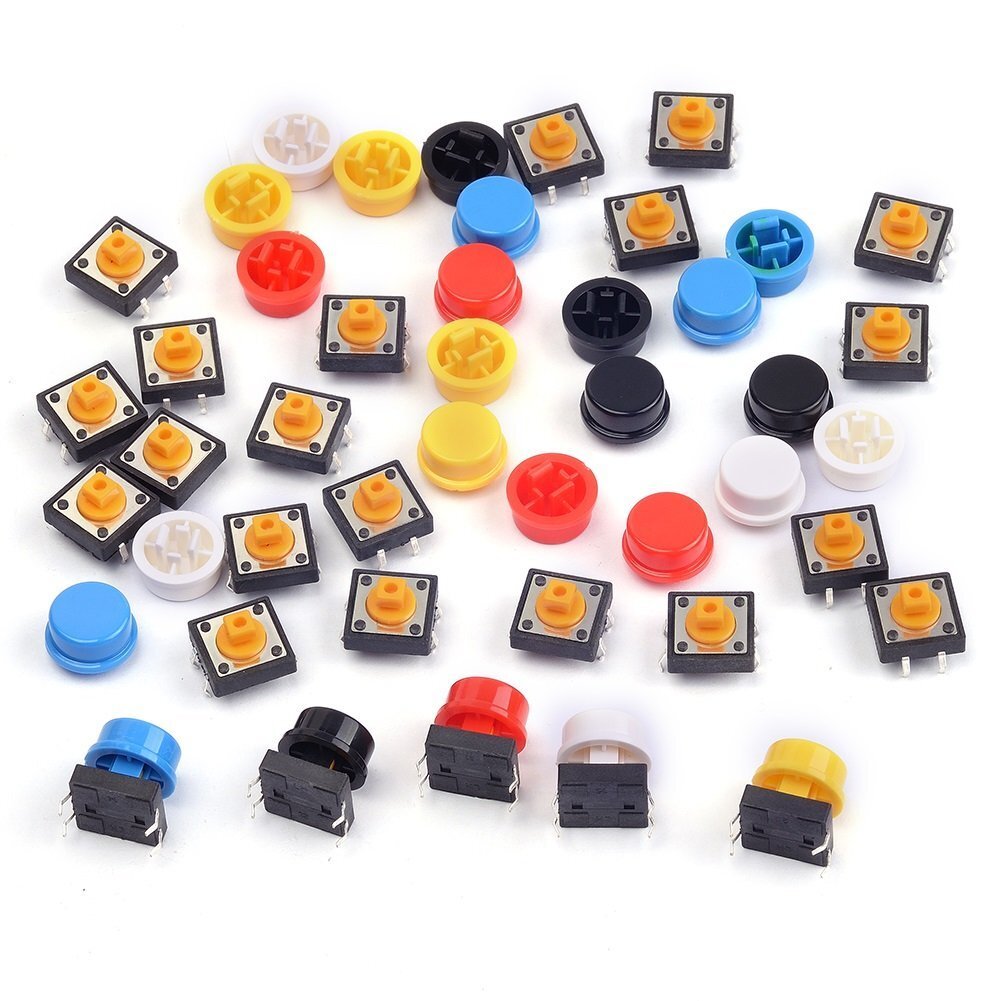
A kit of 12×12mm square tactile push-button switches (the common “12x12” momentary tactile switch footprint used across countless DIY panels and keyboards), each paired with a colored plastic push-cap (“knob”) that snaps over the tactile switch’s own small actuator button — giving a larger, more ergonomic, color-coded button face than the bare switch alone. 6 colors, 2 of each.
Key specs
- Switch footprint: 12×12×7.3mm (per label) — standard square tactile switch body size, 4-pin through-hole (2 electrically-common pairs, diagonal pins linked)
- Cap colors and counts: White ×2, Black ×2, Red ×2, Yellow ×2, Blue ×2, Green ×2 (12 total)
- Mounting: through-hole, 2.54mm-ish pin spacing typical for this switch body size (not independently measured)
- Actuation: momentary (normally-open, closes only while pressed) — standard for this switch class
Pinout
Standard 4-pin tactile switch layout (applies to each switch in the kit):
| Pin pair | Function |
|---|---|
| Pins 1 & 2 (same side) | Common (internally linked) |
| Pins 3 & 4 (opposite side) | Common (internally linked) |
| Pressing the button | Connects side 1-2 to side 3-4 |
Typical wiring uses one pin from each side (e.g. pin 1 and pin 3) — the redundant second pin on each side exists for mechanical stability, not a separate signal.
Wiring / typical usage
Wire one leg to a GPIO (with a pull-up or pull-down resistor, internal or external) and the opposite leg to GND or 3.3V/5V — pressing the button pulls the GPIO to the opposite rail. Standard debounce considerations apply (either in firmware or with a small capacitor) since these are ordinary mechanical tactile switches, not debounced modules. The colored knob caps are purely cosmetic/ergonomic — they don’t change the electrical behavior, just make the button easier to identify and press.
Code / libraries
N/A — passive switch, read as a standard digital input (with debounce logic in firmware if needed).
Source material
- Bag label (size, piece count, color breakdown) read directly from the supplied photo — high confidence.
- Brand name (
IRUW) read from the bag’s registered-trademark logo, partially obscured by a fold in the photo — flagged as best-effort OCR, not independently cross-referenced against a listing. - Product photo:
/inventory/iruw-switch-button-knob-kit/product-photo.jpg— the as-supplied photo of the bag’s own label doubles as a clean product photo; no separate manufacturer photo sourced.
Verification
Size, piece count, and color breakdown read directly from the bag's own printed label (photo-verified) — high confidence. Brand name is a best-effort read of a partially-obscured logo — treat "IRUW" as provisional until confirmed against a purchase record or clearer photo. Pin layout is Inferred from the standard 12x12mm tactile switch family convention, not confirmed against this specific kit's own switches.
Notes / gotchas
- “12x12x7.3mm” describes the switch body, not including the added knob cap height — factor in extra clearance if designing a panel cutout/enclosure around the assembled knob.
- Bare tactile switches like these are not illuminated/backlit — if a project wants a lit button, that’s a different part class entirely.